Mermaid Sequence Diagram: Syntax, Examples & Templates
Open sequence diagram in the editor
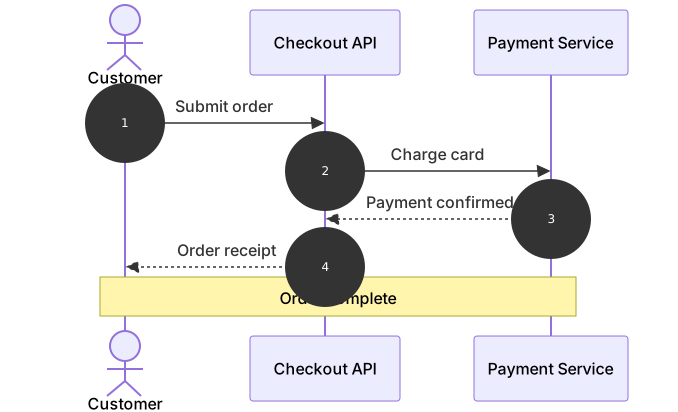
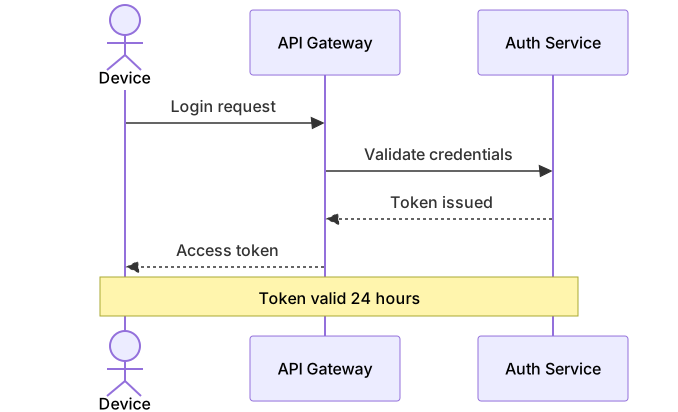
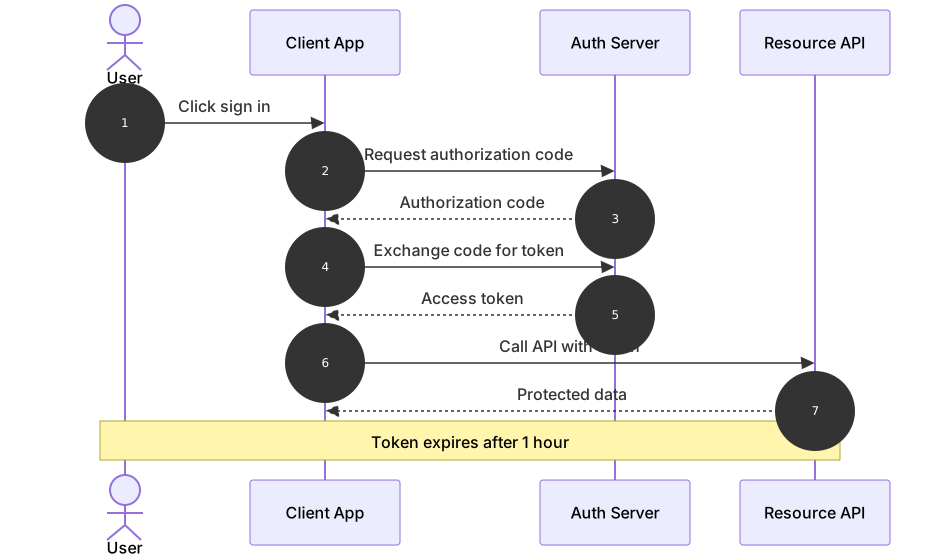
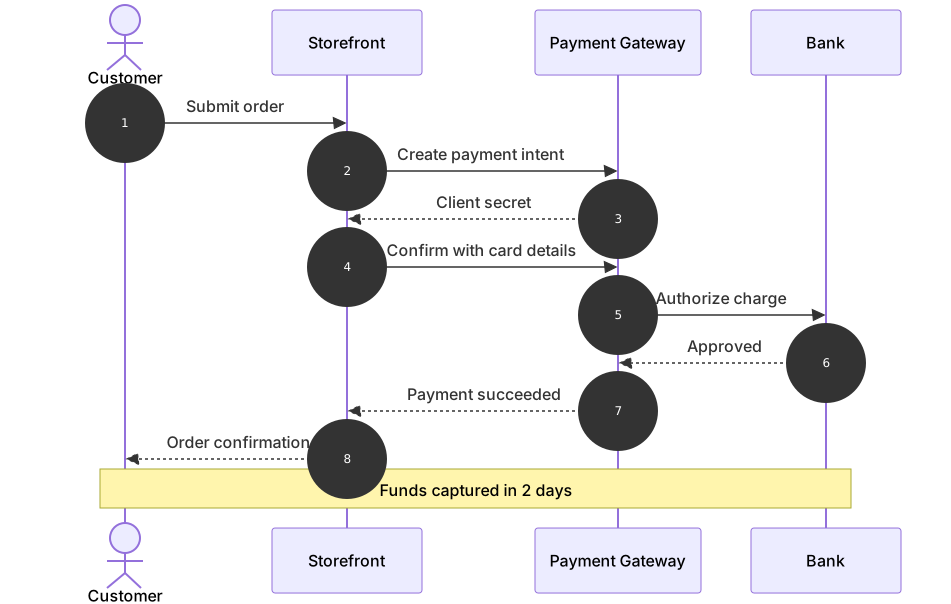
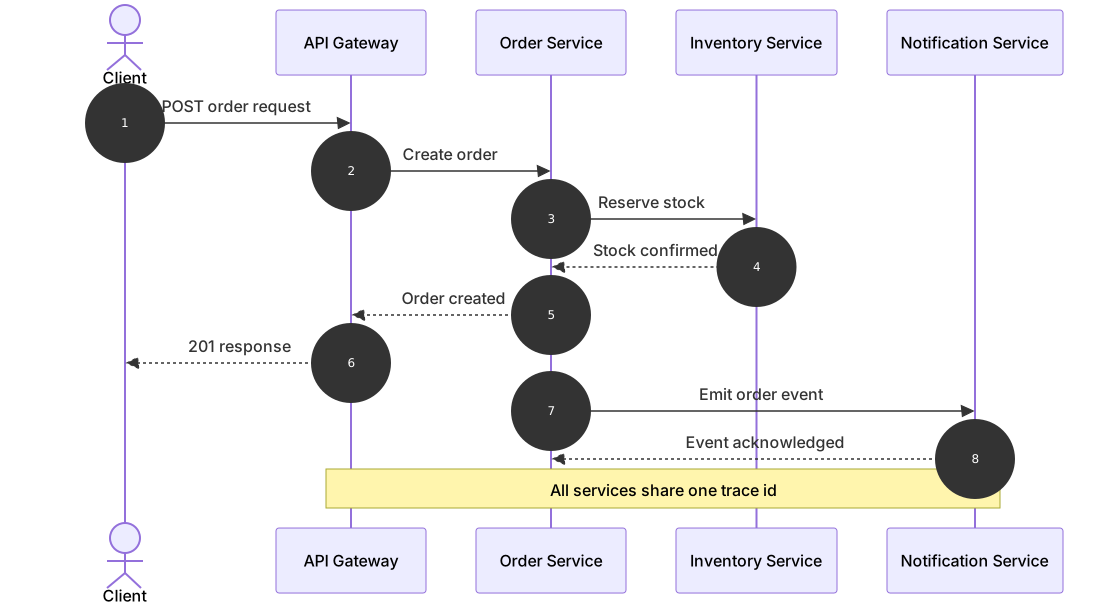
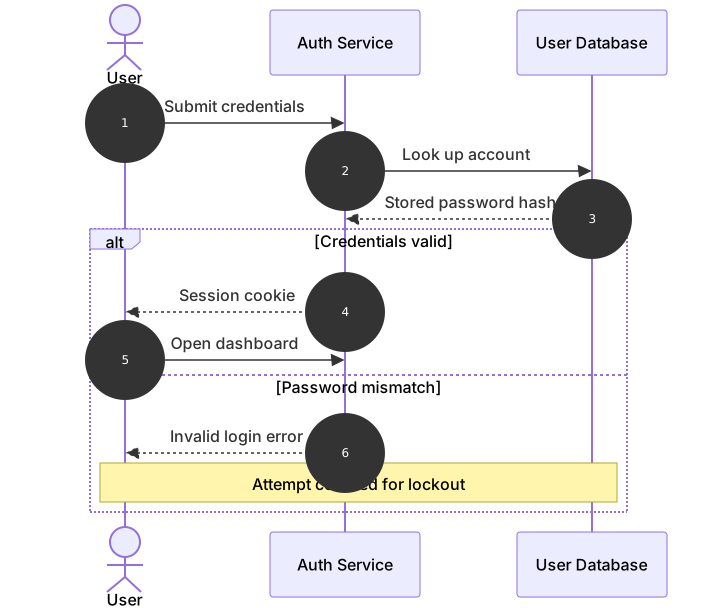
A sequence diagram answers the question “who talks to whom, in what order, and what comes back?” It is the standard tool for documenting API calls, authentication handshakes, and any interaction where the message order is the point.
Basic syntax
The declaration sequenceDiagram starts the file. Participants are declared next: actor C as Customer draws a stick figure for a human, while participant A as Checkout API draws a box for a service. The as part sets the display name; the short token before it is what you reference in messages. Messages are written Sender->>Receiver: Text, where ->> is a solid arrow for requests and -->> is a dashed arrow for responses. The autonumber keyword numbers every message automatically, which makes the diagram easy to reference in prose (“step 3 fails when…”).
Participants and messages
Order matters: participants appear left to right in the order you declare them, so put the human or client on the left and work toward the backend. A Note over A,B: text line spans the named participants and is the cleanest way to mark a phase such as a timeout or a session boundary. Keep request and response pairs adjacent — a request, its response, then the next request — because readers scan vertically. If a call happens between two backend services while the user waits, show it; hiding intermediate hops is how diagrams drift from what the code actually does.
Common gotchas
The arrow types are not interchangeable: ->> draws a solid arrow with a filled head, -->> a dashed one, and plain -> a line without a head — mixing them accidentally makes responses look like requests. Participant aliases are case-sensitive: C and c are different actors, and a typo produces a new, empty lifeline rather than an error. A missing colon after the receiver is the single most common syntax mistake in message lines. Finally, autonumber counts every message, so if you delete one, the numbering shifts — any prose elsewhere that references “message 7” needs updating too.
Tips for mobile editing
Declare participants with single-letter aliases and full display names; this keeps every message line short enough to read without horizontal scrolling on a phone. Write messages as verb phrases (“Charge card”, “Return token”) so the diagram reads like a story top to bottom. When a conversation grows past a dozen messages, consider splitting it into two diagrams at a natural boundary such as “payment authorized” — a focused diagram beats a complete but unreadable one. Keep the cheatsheet handy for the full arrow vocabulary.
Sequence diagrams describe conversations; flowcharts describe branching decisions, and state diagrams describe what a single object does between conversations. Choosing the right one is half the documentation job.
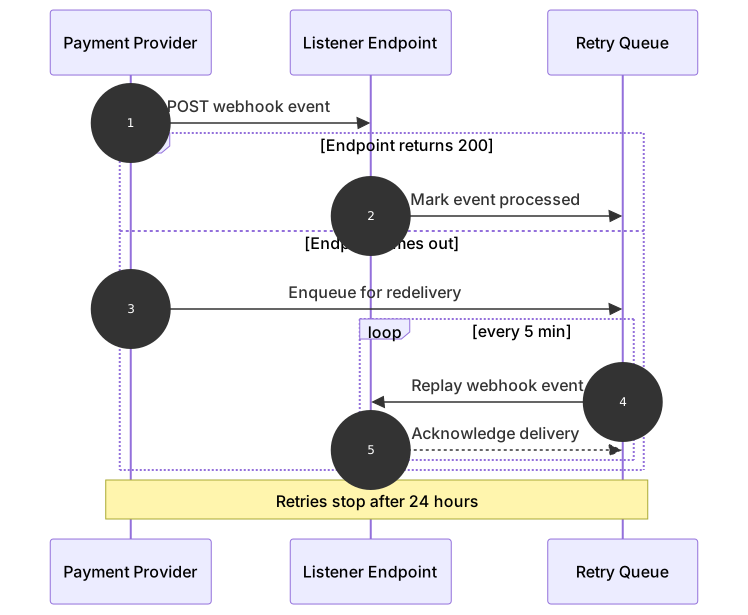
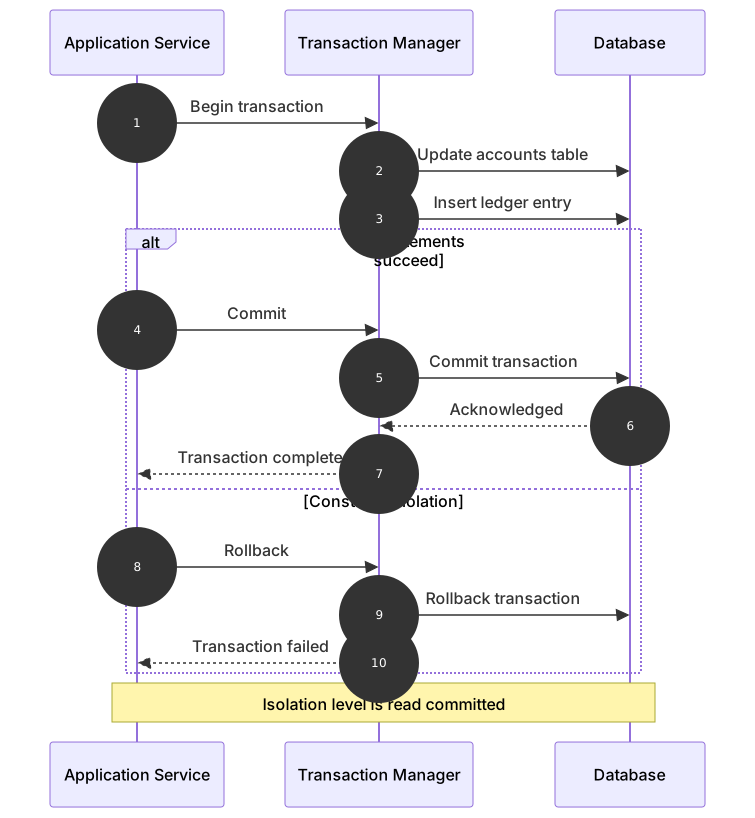
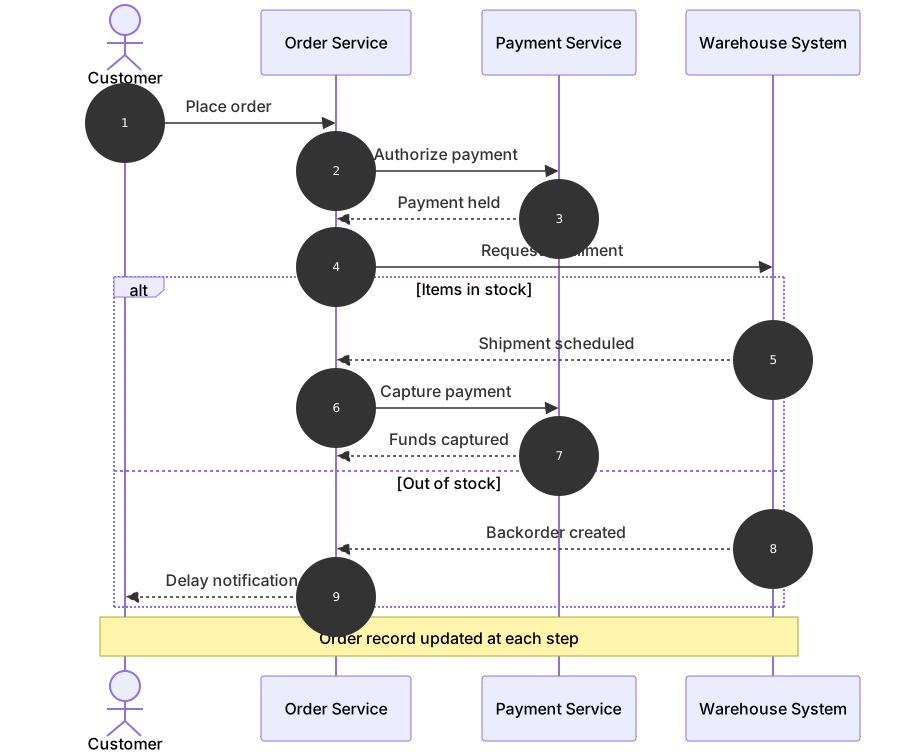
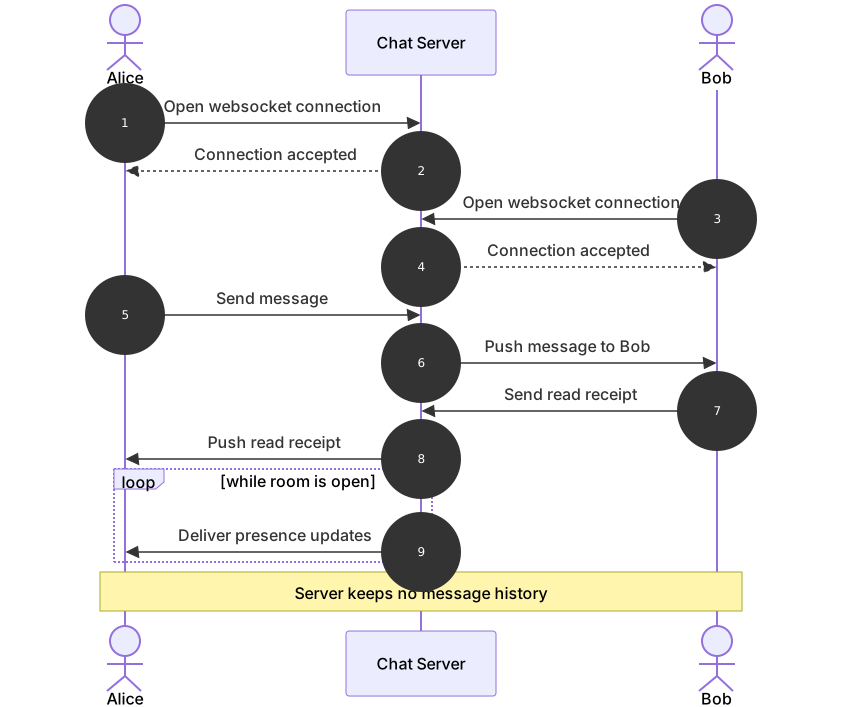
Sequence Diagram templates
Every template opens in the editor with the code pre-filled — edit it on your phone or desktop.